Introducing Corners
A shared workspace for your team’s AI work: project rooms, durable session history, applications, and access controls for people and agents.
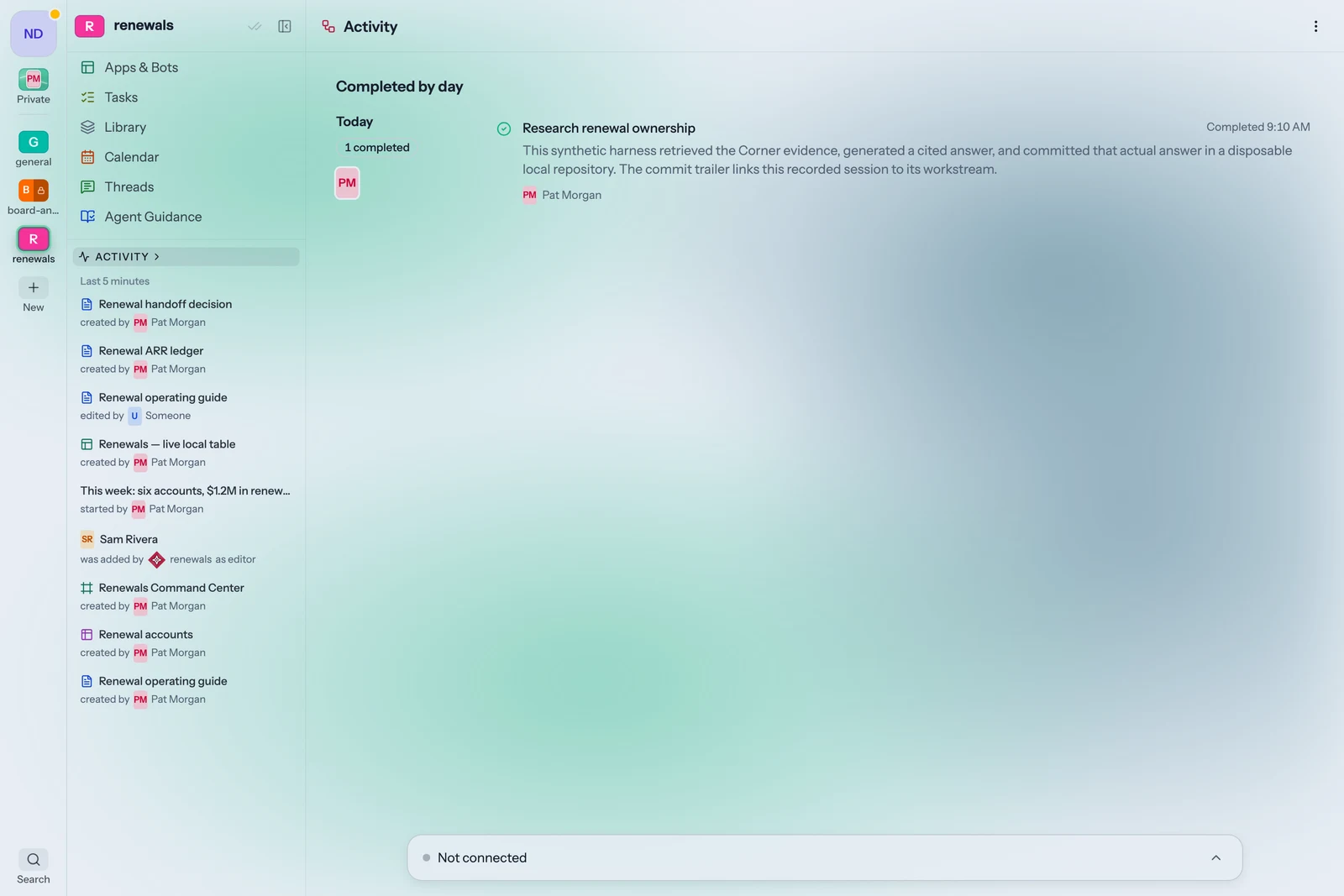 Current Activity view. Synthetic workspace and recorded local demo session.
In 2023 I was working on Brex's AI transformation, and like a lot of people in that seat, I started by experimenting on my own work. I stitched it together from tools I already had. My notes and documents lived in an Obsidian vault. I built a dashboard that read my Slack and my meeting notes and handed me a brief every morning. Somewhere along the way I stopped making slide decks and started having AI build my presentations as small web apps instead. It worked better than I expected.
Then I hit a wall. The more useful my AI work got, the more I needed to share it and collaborate on it. That was easy when the output was a document; I could drop it in Google Docs. It wasn't when the output was an app or a vibe-coded slide deck. And real collaboration with AI means sharing more than the output. It means sharing the session behind it, so the next person, or the next agent, has the full context. GitHub was too heavy, and only engineers used it. Nothing AI-forward existed that the whole organization could use.
Sharing also turned out to mean more than handing something over. My daily brief was built from my Slack and my meetings, so sharing the brief meant sharing them. A presentation app was only as safe as the data behind it, for as long as the app existed. Every time I shared something AI made, I was also deciding who got to see everything it had read.
It isn't just my problem. Every team using AI for real work now has it. Every session leaves something behind: a log of what it tried and decided, a document, a plan, sometimes an entire application. Most of that ends up scattered across chat histories, laptops, and personal accounts, where nobody else can find it and the next session can't build on it. And AI's work carries what it read: a summary of a private channel, the customer data under a dashboard, something pulled from someone's inbox. Share any of those carelessly and you've leaked something you never meant to. The more a team uses AI, the more of this there is.
So I built Corners. Corners is a workspace for your team's AI work. Everything your AI makes, from session logs to documents to full applications, lands in one place your team can find, share, and build on, with access rules that keep it from ever reaching someone who shouldn't see it.
Why this is hard
It's tempting to solve this by pointing every agent at a shared folder and calling it done. That breaks down quickly, for three reasons.
AI output inherits the sensitivity of its inputs. A document written by a person has one author who knows what went into it. A document written by an agent may draw on a dozen sources, some of which the eventual reader was never allowed to see. Any place that stores AI work has to account for where it came from, not just who saved it.
AI work isn't just files. Increasingly it's running software: internal tools, dashboards, and bots that read and write live company data. Those need connections, credentials, and limits on what they can do, and those limits have to hold no matter who opens the tool.
Agents act, not just write. Once AI can post to Slack, send email, or update a record, the question isn't only who can see its work. It's where its work can go. Asking a person to approve every step doesn't scale and defeats the point of the agent. What works is knowing exactly where the edges are.
Most teams answer these questions one tool at a time, or not at all. We think they need one answer that covers people, agents, and the software agents build.
What Corners is
A Corner is a project room for people and their AI. Each one is dedicated to one area of work: a product, a customer, a deal, a team. It holds the people who work there, the systems they've connected, and everything they and their AI produce. Those contents aren't just files. They're built for AI to read and build on: session histories, documents, plans, tables, and working apps, all in forms the next agent in the room can pick up without being re-briefed.
The room's walls are its membership. Whoever is in the Corner can see what's in it; whoever isn't, can't. That rule applies the same way to a person reading a document, an agent searching for context, and an app someone built for a customer. There's no separate permission model for AI to learn, audit, or get wrong.
Where AI's work goes
Session history. When an agent starts working, whether in Claude Code, Codex, Cursor, or chat, it declares what it's trying to do, looks up the history behind that work in the Corner, and then records its goals, decisions, and progress as it goes. We call that record a workstream. It's readable by the team and by the next agent, so work builds on itself instead of starting from zero every session.
Documents and plans. Anything durable an agent produces, such as a research brief, a design doc, a plan, or a table, goes into the Corner's Library alongside the work people do by hand.
Applications. Agents can build internal tools directly on the data the Corner is connected to: intake forms, dashboards, client portals, weekly digests. Those apps live in the Corner, are shared the way documents are, and can be opened by a teammate or by a guest with a link.
Activity. Every Corner keeps a day-by-day record of what happened in it, by people and by AI, so anyone responsible for the work can see what changed and why.
How it stays safe
A Corner is a sandbox with a few well-defined doors. Inside it, agents can work freely: reading, drafting, building, and revising, without anyone hovering over an approval button and without you worrying about destructive actions. What makes that safe is that nothing leaves the room except through exits you control.
The walls are the membership. Content an agent creates lands in the Corner it's working in, and only that Corner's members can see it. An agent's reach never exceeds the access of the people using it.
Agents work in one Corner at a time. A session can't carry what it learned in one Corner into another.
The doors are defined. Admins decide which systems each Corner connects to, such as specific Slack channels, Drive folders, calendars, and repositories, and exactly what agents may do through each one. Those connections are the only ways work leaves the Corner.
Everything is on the record. Every agent action is attributable and reviewable after the fact.
Enterprise basics are built in. Teams sign in with SSO, and our SOC 2 controls are in place.
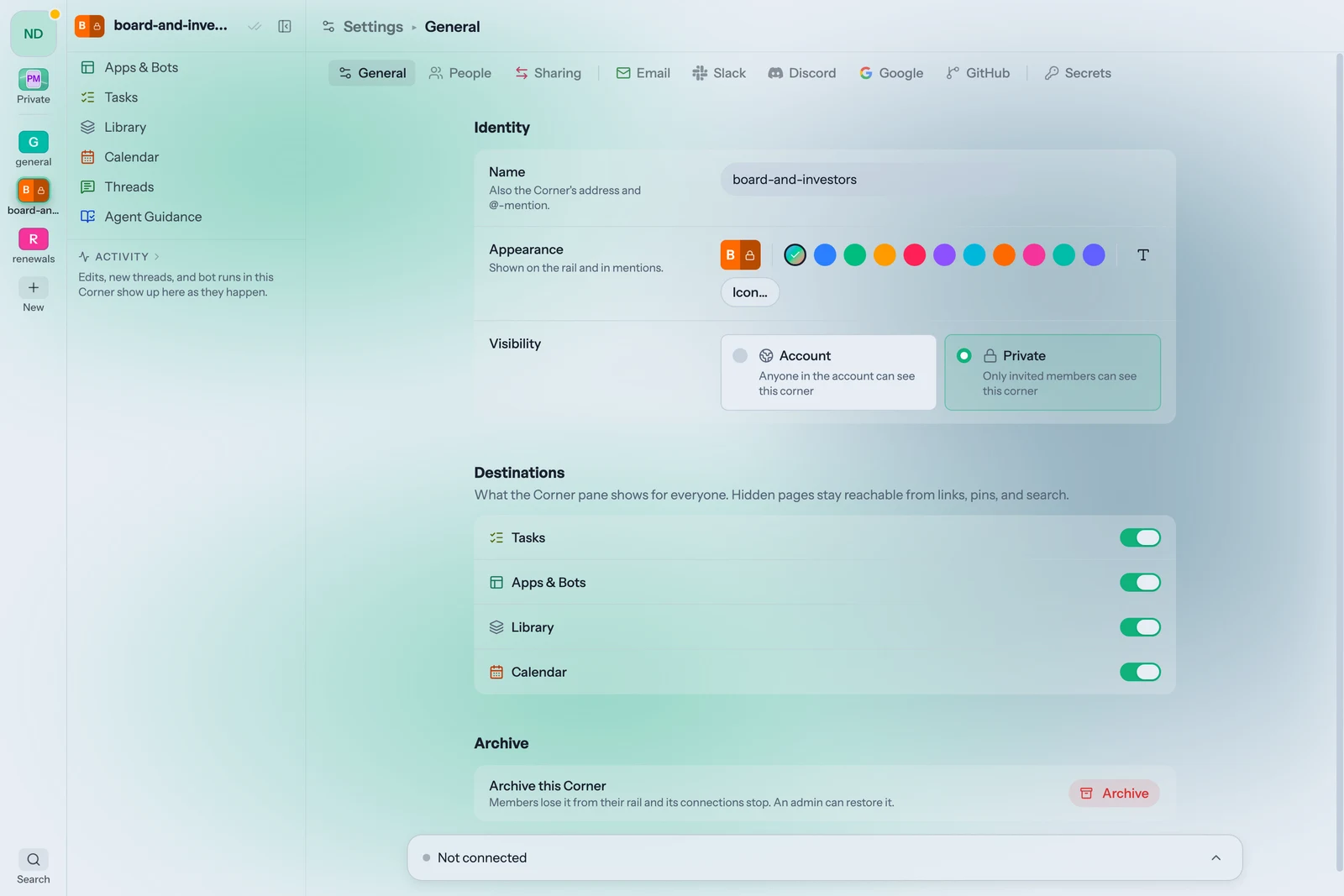 Current Corner visibility settings in a synthetic workspace.
It works with the AI you already use
Corners doesn't ask anyone to switch tools. People keep working in Claude Code, Codex, Cursor, or chat, and keep using Slack and Google Workspace. Connecting an agent takes one sentence, and from then on its work flows into the right Corner. Every Corner also has its own AI that can answer questions about the Corner, draft and research across its sources, and act on triggers such as a new Slack message or a weekly schedule, always within the Corner's access.
What teams use it for
Engineering coordination. Every coding agent on a team records into one Corner, so plans, decisions, and shipped work sit in one reviewable place. We build Corners this way ourselves.
Operational tools. A team builds one app for one process, such as renewals or client intake, on live company data, and the Corner holds everything that supports it.
Slack assistants. A Corner connected to a channel becomes a bot that answers questions or posts digests using only what that Corner is allowed to see.
Research and decisions. Sources, notes, and AI research for a decision, from an acquisition to a hiring plan, are collected in one permissioned place.
Why now
Two years ago, AI at work meant a chat window. Today it means agents that write code, draft documents, build software, and take actions across company systems, often for dozens of people on the same team at once. The output has outgrown the chat window, and the governance hasn't caught up. Companies are left choosing between letting AI work pile up ungoverned and blocking the tools their people are most productive with.
Corners is built so they don't have to choose: one place for everything AI makes, and one access model that holds across all of it.
We're working with teams now. If you're thinking about how your company's AI work should be managed, I'd love to talk. Reach out at corners.app.
— David Horn, founder